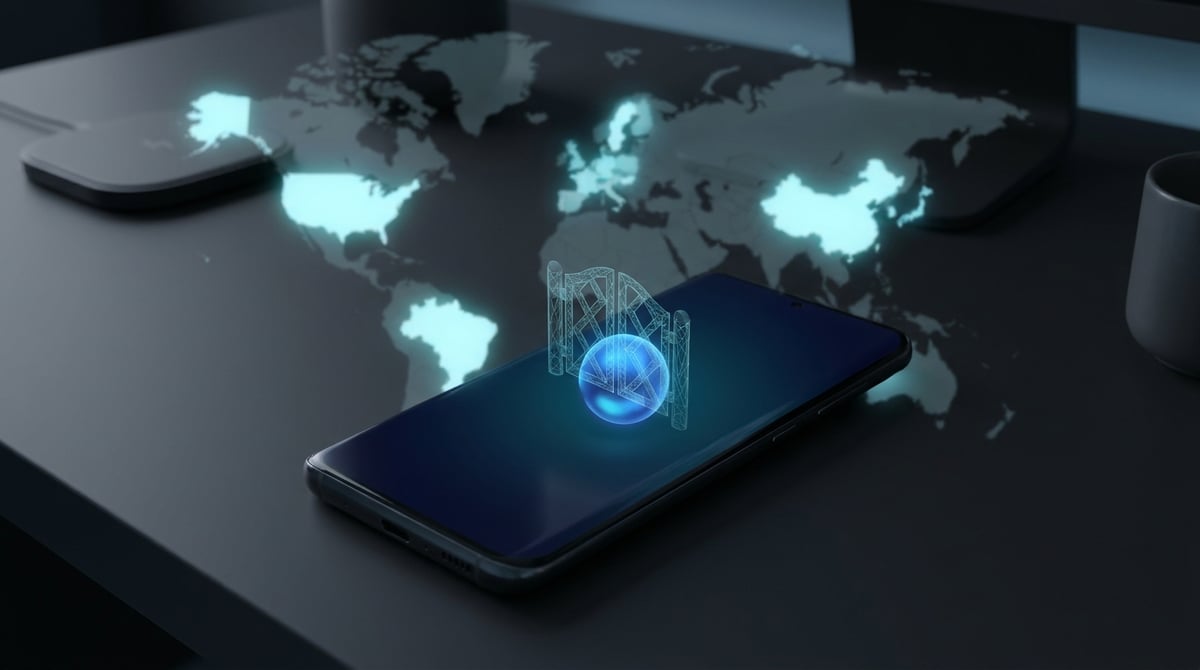
If Meta Muse says "Muse isn’t available in your country or region yet," it's not a glitch or an issue with your phone. Starting September 8, 2026, the Meta AI agent will launch in various countries, and as of early November, it is only operational in the USA, Canada, Japan, and Singapore. The UK, EU, Australia, and India are not on the list, and no timelines have been provided. Below, we will explore how Meta determines your location, what aspects are affected by proxies, and how to avoid losing your main Facebook and Instagram accounts.
What Happened and Who It Affects
Meta Muse is a personal AI agent from Meta: you assign it a task, and it autonomously opens a browser, fills out forms, and writes emails in connected accounts. The agent operates on Meta's cloud virtual machine and continues the task even after the application is closed. Muse is available on iOS and Android apps, on the website muse.ai, and in WhatsApp; later versions were released for Mac and iPad.
Launch timeline based on open sources:
- USA — from September 8, 2026;
- Canada — from September 18, 2026;
- Japan — from October 23, 2026;
- Singapore — from October 27-28, 2026.
Mexico is mentioned by some publications, but it is not included in Meta's materials. For Europe, the UK, Australia, and India, there are no dates: on the business page of muse.ai, Meta states that it is cautiously entering new markets, one at a time. In India, some users have already seen the Muse icon in the Instagram "Share" menu, but upon clicking, they receive "not available in your country." The German site Notebookcheck noted in October that there is still no timeline for Europe.
This issue affects everyone living outside of the four countries, as well as those residing in the USA but receiving an error due to incorrect geolocation. On November 2, a user from Oregon with an American account complained on the Meta community forum that instead of access, they ended up on a waiting list.
How Meta Determines Your Country
Meta has not published an official description of its verification process. Based on journalist tests and reviews, the following picture emerges.
| Signal | What is Known | Does Proxy Change It |
|---|---|---|
| App Store Region | The app is only available in the App Store and Google Play of the launch countries. It is not available at all in the German and Indian stores. | No. The region is set in the Apple ID or Google account. |
| Meta Account Country | Notebookcheck reports that an old German Meta account was apparently not accepted by the service. | No. This is a setting and account history. |
| IP Address at Login and Registration | In Notebookcheck's test, creating a new account required an American IP. | Yes, this is its direct task. |
| Payment Card | A card is requested even on the free plan. In-app purchases currently only work for users from the USA. | No. |
| Phone Number | According to reviews, changing the number does not change the account's country. | No. |
Separately regarding the terms of use. Meta's subscription guidelines require that the subscriber be located in a country where Muse is available. This means that access from an unsupported country violates the rules, even if it technically works. We did not find reports of mass bans for this, but Muse operates under the same Meta account as Facebook and Instagram, so you are risking that account.
What Proxies Can and Cannot Do
A proxy only changes the IP address from which you access muse.ai and the application. This is sufficient in two situations:
- You are traveling. The account was created in the USA or Canada, and you are currently in a country where Muse is not available. A proxy from the account's country resolves the conflict between the IP and other signals.
- Incorrect Geolocation. The provider routes traffic through addresses that geolocation databases associate with another country or hosting. In this case, a clean address from the desired country helps determine if the issue lies with the IP.
A proxy will not solve the issue if:
- Your Apple ID or Google account is set to a region where the app is not available. Then, only the website muse.ai remains;
- The Meta account has long been linked to another country;
- The card or in-app purchases are tied to a country where they do not work.
And one more detail that is often overlooked. The agent itself operates in Meta's cloud. When Muse opens websites and fills out forms, the requests are sent from Meta's servers, not from your IP. A proxy only affects your connection to Muse, not how the agent is received by websites. We discussed why agents are blocked by stores and banks in an article about how Meta Muse loses to anti-bots.
Step-by-Step Check: Is Your Case Solvable?
- Determine where you are and where the account is. If you live in a country without Muse and the account was created there, a proxy will not make you a user from the USA: the rules require being in a launch country. The honest option is to wait for the launch in your country.
- Check your current IP. Open any geolocation check service. If you are in the USA or Canada, but the IP is identified as another country or as a data center, the problem lies with the address, and this is a reason to contact your internet provider.
- Get a proxy from the account's country. For traveling, you need a country where the account was created and where Muse operates: the USA, Canada, Japan, or Singapore. Usually, there is no need to choose a city.
- Set up the proxy in your browser, not just in one extension. Open muse.ai in a separate browser profile with the proxy. This way, cookies and timezone data from your regular session will not enter the profile.
- Check for leaks. The system's timezone and browser language should not contradict the country of the IP. Detailed information on the signals that AI services use to identify the real country can be found in the analysis on why ChatGPT and Gemini determine the country through proxies.
- Do not change the country with every login. Logging in from the USA, then from Europe, then from Asia looks like a hack. Keep one address or at least one country for the entire session.
- If you see "You’re on the waitlist" with an American IP and an American account, contact Meta support. This is not a regional ban but an error in detection, and a proxy will not fix it.
What Type of Proxy is Suitable
For the muse.ai website and Meta applications, regular HTTP or HTTPS traffic is needed, which proxies pass without restrictions. Voice calls and anything that goes over UDP do not work through HTTP proxies.
- Residential Proxies — home addresses from real providers in the required country. This is the main option for accessing a Meta account from a computer. Residential proxies from ProxyCove cost $2.70 per GB.
- Mobile Proxies — addresses from mobile operators. For phone use, they appear the most natural: this is how a regular smartphone connects to the internet. Mobile proxies cost $3.80 per GB.
- Data Center Proxies are less suitable for Meta accounts: hosting addresses are easily recognized, and services with account verification treat them more strictly.
You need only a small amount of traffic: communicating with the agent involves text, and most of Muse's work is done in Meta's cloud, and this traffic does not go through your proxy.
Common Mistakes
- Enabled the proxy but did not change the app store region. The app will still not appear in the store: the App Store and Google Play look at the account's region, not the IP.
- Logged in with an old account from another country. According to Notebookcheck's report, the service apparently does not accept such an account, no matter how much you change the IP.
- Used a free public proxy. Such addresses have long been blacklisted, and the Meta login goes through someone else's server. This is an unjustified risk for your main Facebook and Instagram accounts.
- Jumped between countries. Frequent changes in the login country are a direct reason for account security checks.
- Expected the proxy to speed up the agent or allow access to closed websites. The agent operates from Meta's servers, and your proxy does not influence that.
Conclusion
Meta Muse is currently operational in four countries, and Meta determines your country not only by IP but also by the app store region and account country. A proxy helps when you are traveling with an account from a launch country or when your IP is mistakenly identified as being from another country. However, if you live in a place where Muse has not yet arrived, the honest answer is to wait for the launch: Meta's conditions require you to be in a supported country, and you risk the account linked to Facebook and Instagram. If your case is the first one, get a residential or mobile address from the required country and keep it stable throughout the session.